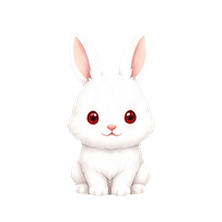
Bunny
Light, cheerful rabbit companion with adorable little jumps.
 Deskmate Live
Deskmate Live character collection
Discover Deskmate Live's animated avatars and choose a desktop pet for your Windows or Linux computer. Preview the characters below and find your companion.
Light, cheerful rabbit companion with adorable little jumps.
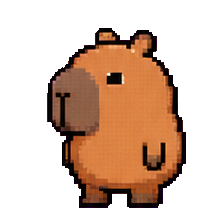
Unbothered capybara. Chill vibes. Zero urgency.

Our mascot is playful, easy to interact with, and has an easygoing personality.
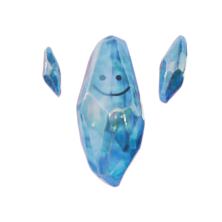
A sentient space rock from 55 Cancri Ae, here to talk, dance, and refract light.

Loyal puppy avatar with upbeat energy and friendly presence.

Warm little coffee cup with a cozy morning charm.

A jellyfish with no brain, no worries, and absolutely no bills.
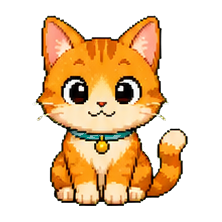
Curious cat companion with soft reactions and a playful desktop vibe.
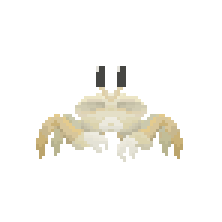
Shy behind the shell, unstoppable on the dance floor.
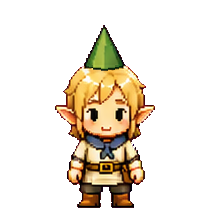
Tiny woodland elf with a hat too pointy for his own good.
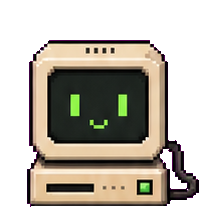
Old-school monitor that acts like he invented the internet.
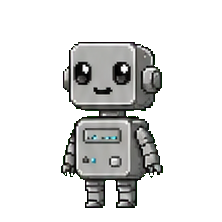
A retro robot with big helper energy and a soft spot for tidy desktops.

Also called Triple-T, this avatar is full of chaotic meme energy and actions.

Simple jelly-like companion with bouncy motions and a mellow mood.
Deskmate has a free starting experience, including Cardio; other avatars may be paid. Animation works separately from AI conversation. Voice needs your own supported provider key or a Deskmate Plus or Pro plan. See the setup guide and FAQ for details.